Instagram Private Downloader: Photos & Videos
Download private Videos, Photos, Stories, and Reels online in HD quality
InSave - Download Private Instagram Photos and Videos for Free
InSave offers a powerful solution for downloading content from private Instagram accounts you own or have access to. Easily save photos, videos, Reels, Stories, IGTV, and Highlights instantly. It works directly in your web browser without the need to install any additional software or apps.
For restricted content or media that cannot be downloaded through standard methods, InSave.to provides a simple and effective solution, helping you save content in just a few easy steps. Although this process may require slightly more steps than the regular download method, it ensures a significantly higher and more stable success rate for all users.
Guide to downloading private Instagram content with InSave
When standard downloaders fail, the content likely requires special access or doesn't support regular methods. InSave is designed to handle these cases, making it easy to save content you have access to. Just follow the simple steps below to download instantly.
Note: To ensure the smoothest experience and the highest success rate, using a computer browser is highly recommended.
Step 1: Log in to your account at Instagram.com via your browser to access private posts.
Step 2: Find the private post containing the Photo or Video you want to download and copy the link from the browser's address bar.
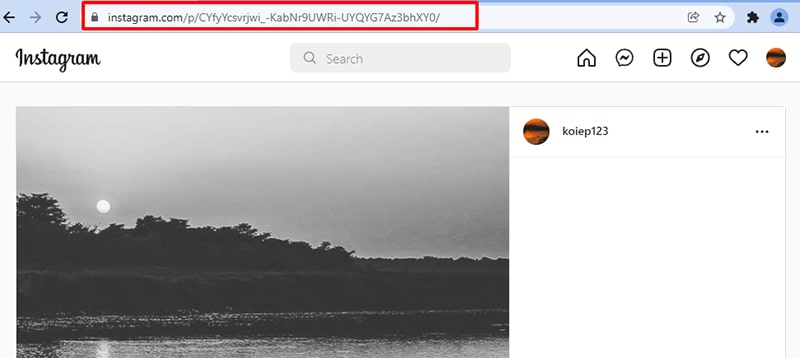
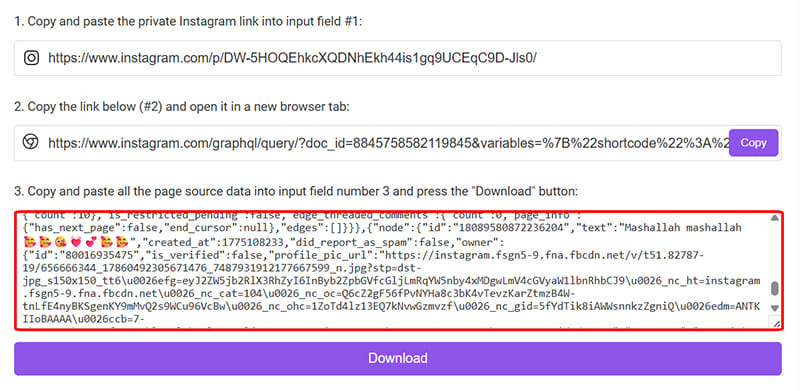
Step 3: Navigate to https://insave.to/en/instagram-private-downloader in a new tab and paste the link into the first input field (#1).
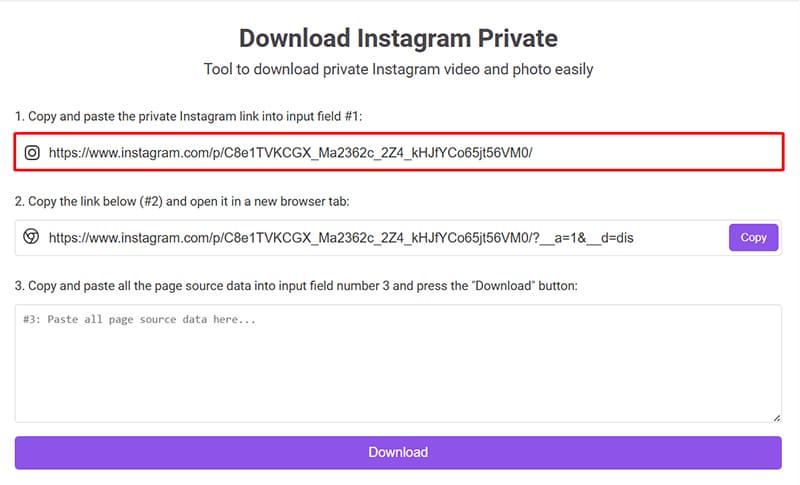
- A new link will be generated in box (#2). Click Copy to proceed.
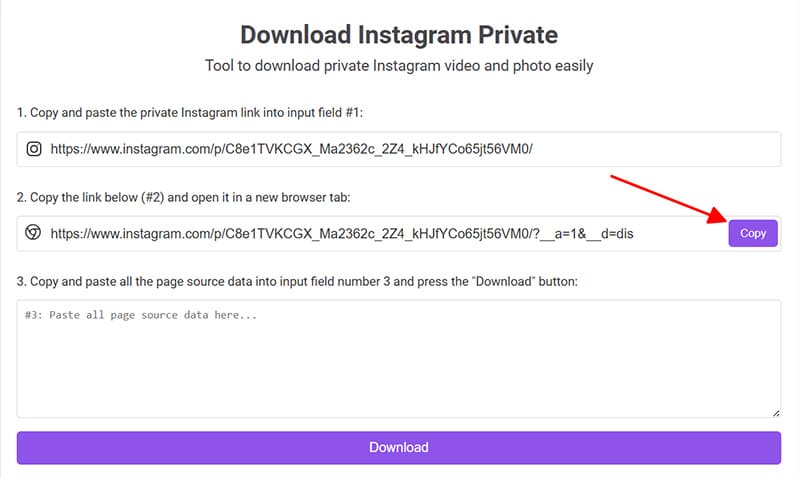
- Open a new tab in the same browser, then paste and access the link you just copied from box (#2).
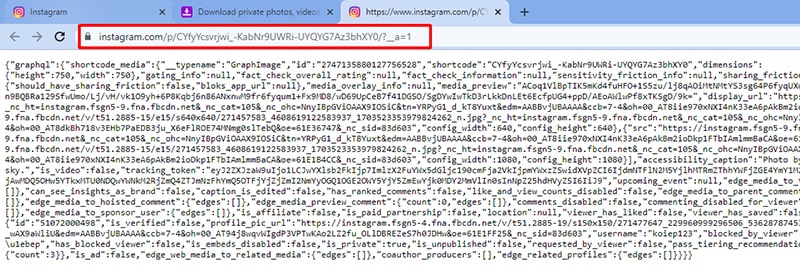
Step 4: Copy the entire displayed source code by pressing Ctrl + A (Win) or ⌘ + A (Mac), then right-click and select Copy.
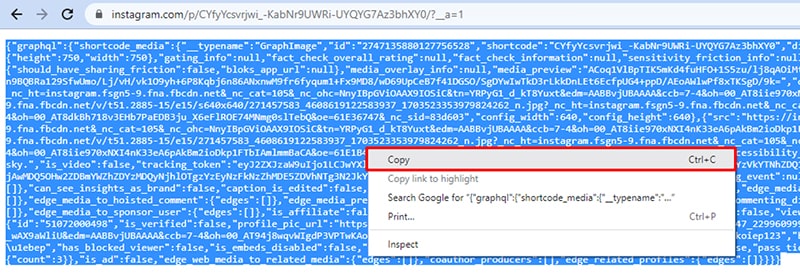
Step 5: Go back to InSave, paste that code into input box #3, and hit Download.
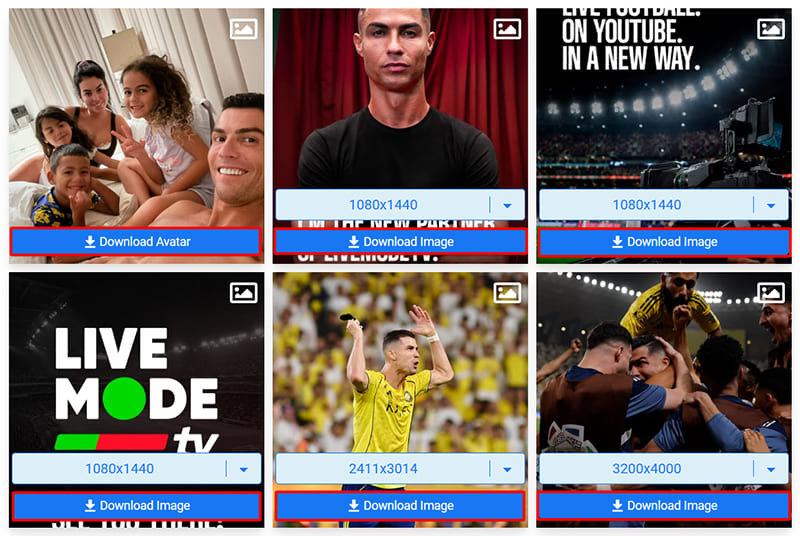
Step 6: Wait a few seconds for the tool to process. Then, click the Download Video or Download Photo button to save the file to your device.
Why should you use InSave's Private Instagram Downloader?
For public Instagram posts, downloading is usually simple with standard tools. However, some content may be inaccessible due to viewing restrictions, regional blocks, or belonging to private accounts where only authorized users can view the media.
In those cases, InSave offers a more versatile solution, helping you save content you have access to easily and safely. The tool is designed to handle posts that cannot be downloaded normally, allowing you to store Photos, Videos, Reels, Stories, and more in original quality with just a few simple steps.
No software installation or complex steps are required; InSave.to works directly in your browser and is compatible with all devices. The system is optimized to ensure a high download success rate while guaranteeing privacy and security throughout the process.
The private download feature is intended only for content you own or have authorized access to. InSave reserves the right to deny service for any acts of copyright infringement, unauthorized access, or violation of others' privacy.
You can read our full Terms of Service 👉here👈