How to Download Instagram Videos and Photos with InSave
Want to save Instagram videos, photos, or Reels to your phone and computer in high quality? InSave provides a simple online download solution, helping you save Instagram content in just a few steps without installing software or logging into an account.
InSave.to supports downloading a wide variety of popular Instagram content including videos, photos, Reels, Stories, Highlights, MP3 audio, and profile pictures. This tool works directly on your web browser and is compatible with almost any device, from PC and Mac to Android and iPhone.
Just paste the Instagram post link into the search box, and the tool will automatically process and provide a high-quality download link so you can easily save it to your device.
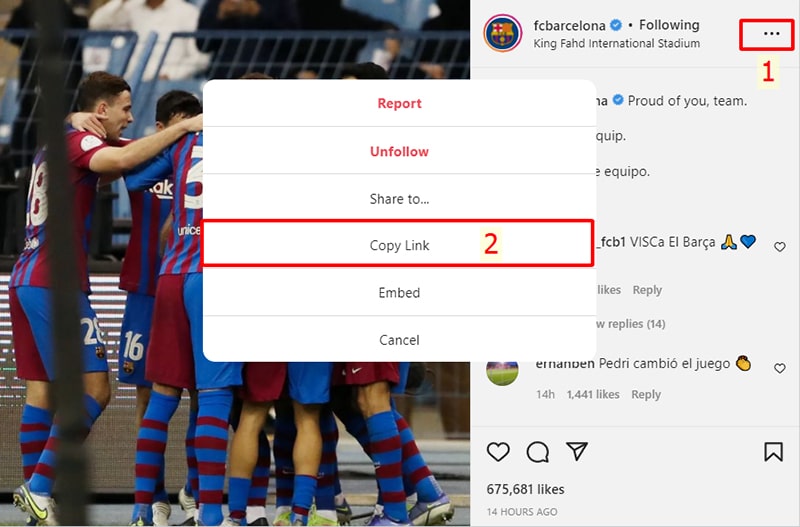
Step 1: Copy the Instagram link
Open Instagram and find the content you want to download, such as a video, photo, or Reel. Tap the three-dot icon (●●●) on the post and select Copy link.
Step 2: Paste the link into InSave
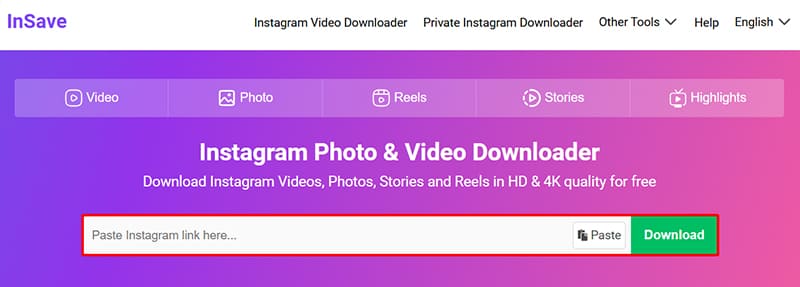
Access InSave.to using a web browser on your phone or computer. Paste the copied Instagram link into the input box and press the Download button.
Step 3: Save content to your device
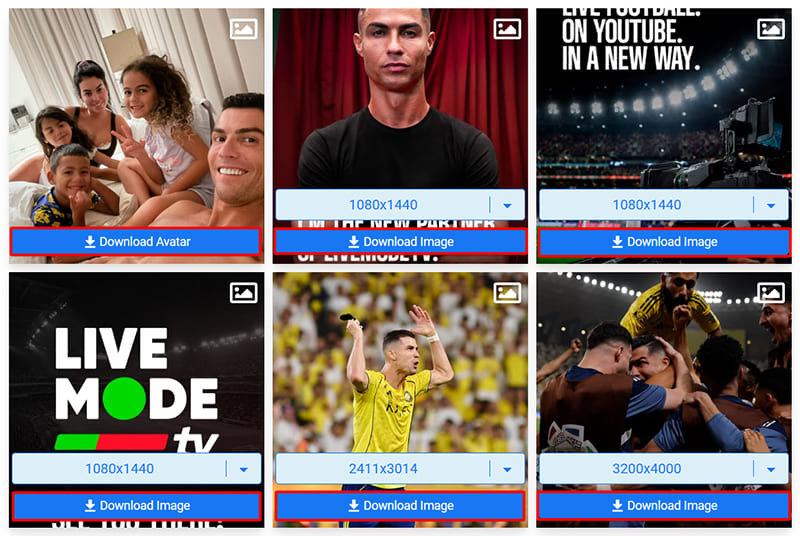
After a few seconds of processing, the photo or video will be displayed with download options. Select the content you want to save and download it directly to your device for offline viewing anytime.
InSave always prioritizes processing and providing the best quality download links from Instagram. However, the final quality of the downloaded file will depend on the quality of the original content uploaded by the user to Instagram.